
Forget What You Read? This Open Source AI App Can Help!
/ 6 min read
Actually, we don’t need to shy away from the problem of forgetting what we just read, because most people forget what they read. In fact, the human brain is designed that way; it filters out most unimportant information and only keeps what’s important. If you really want to remember the key knowledge of a book, you need to read it repeatedly, think about it repeatedly, and practice it repeatedly.
In the pre-AI era, taking reading notes was a very energy-consuming task, but with Large Language Models (LLMs), we can be a bit lazy about note-taking.
Note: You can be lazy with note-taking, but you absolutely cannot be lazy with thinking and reviewing.
So, are there any good tools? Friends, yes there are! Welcome to ebook-to-mindmap! Simply put, you can use ebook-to-mindmap to convert PDF or EPUB ebooks into chapter-by-chapter mind maps or text summaries.
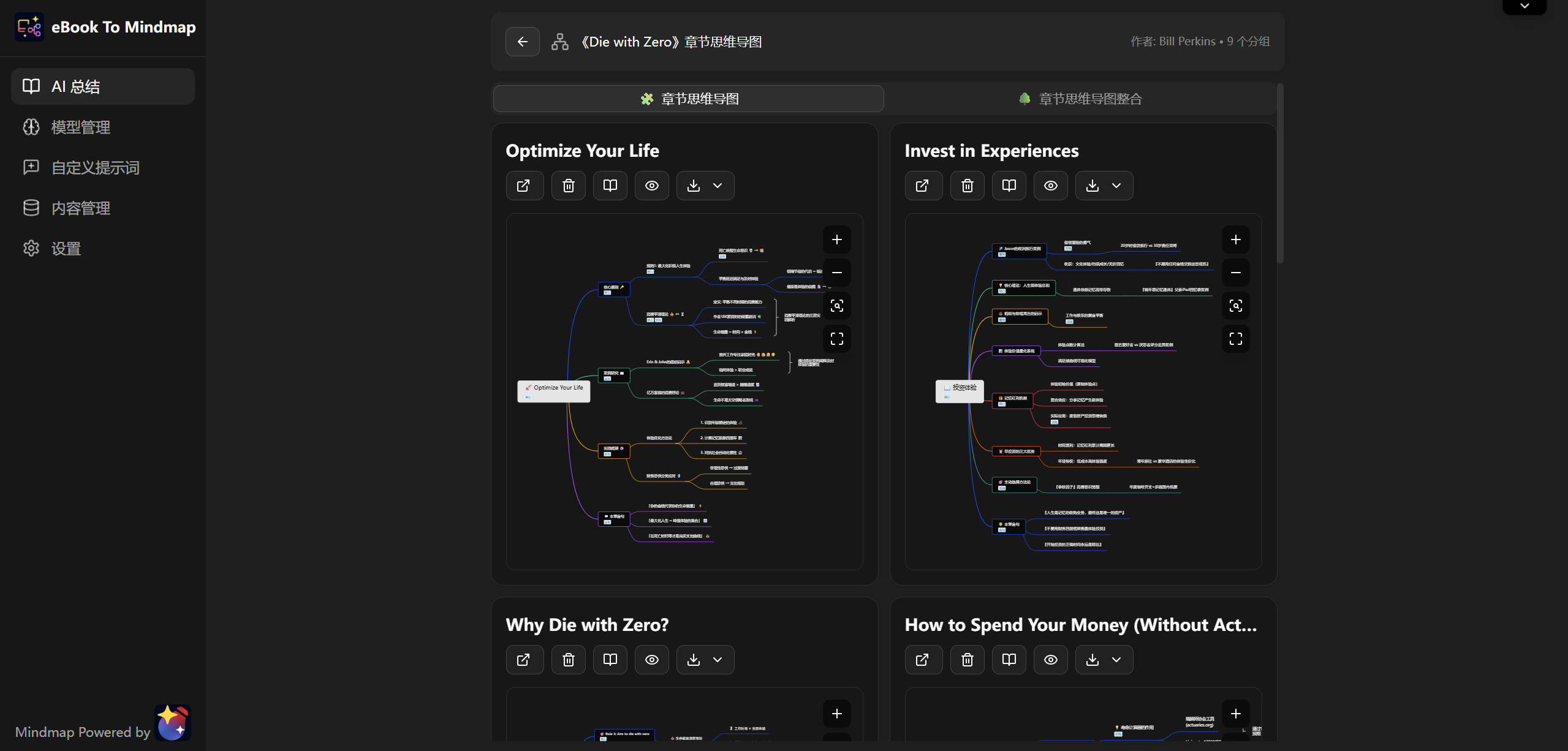
Click here to experience it immediately. The entire web app is quite simple, so you can get started right away. Of course, I will also introduce how to use this app in detail below 🤗
Model Configuration
The first step in using ebook-to-mindmap is to configure the model. Like many AI applications, it uses the BYOK (Bring Your Own Key) mode, where you can configure your own LLM.
I want to emphasize here that when filling in the Key in ebook-to-mindmap, you don’t need to worry about Key leakage, because the Key is only saved in your own browser, and requests are sent directly from your browser to the LLM provider’s server. You can check the network requests in your browser’s developer tools to confirm this. At the same time, as an open-source project, you can inspect the code of ebook-to-mindmap at any time, or even deploy your own instance.
Speaking of model selection, many people might worry that using ebook-to-mindmap is too expensive. Actually, it’s not necessary, as there are many free or low-cost LLMs available at this stage. My top recommendation is still openrouter. You only need to top up $10 to get a large quota for free models (including some DeepSeek variants, Xiaomi’s new model, and Grok for a while), which is basically enough to let it process several books a day. For other detailed recommendations, you can refer to the Free and Paid AI API Selection Guide.
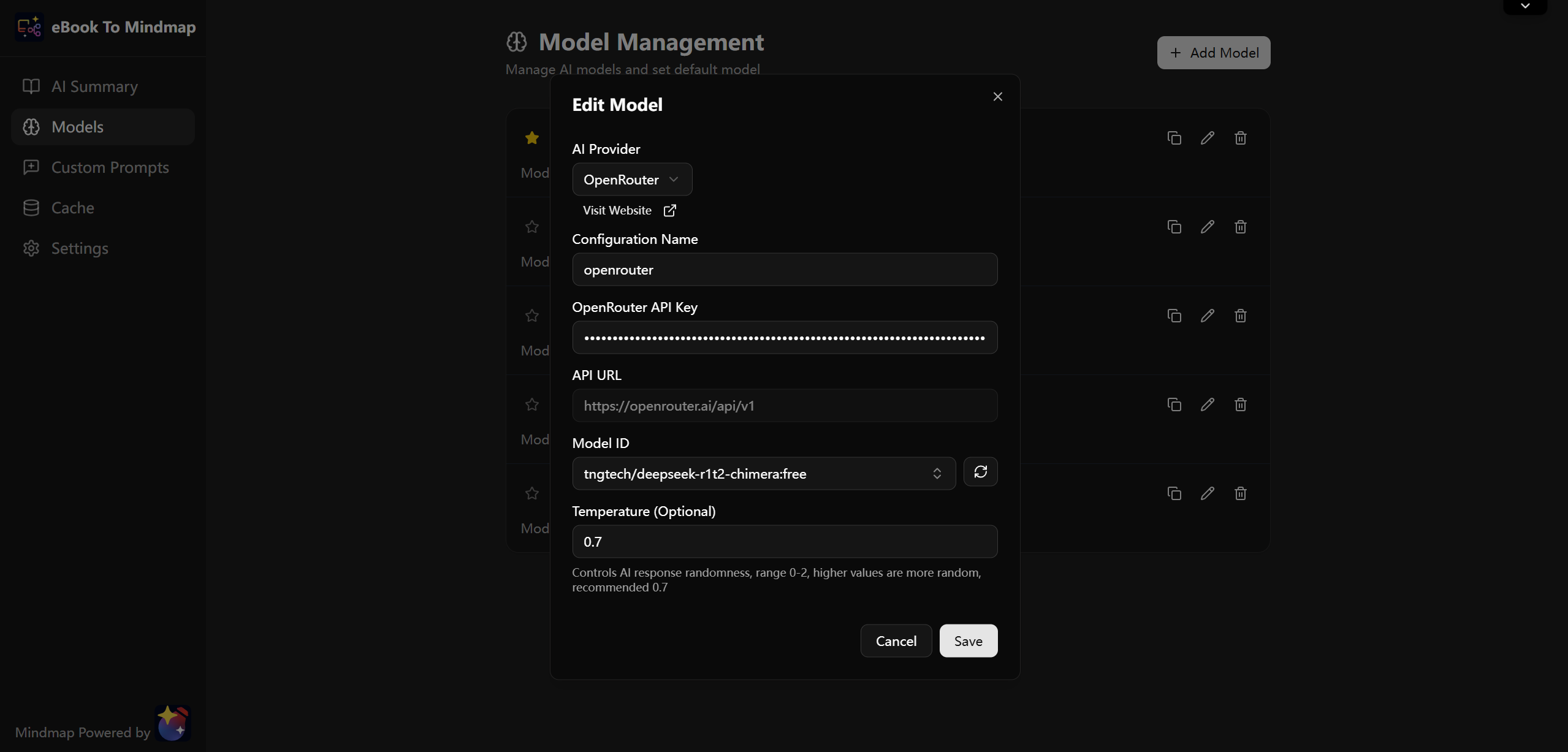
After obtaining the Key, just fill in the information as shown above.
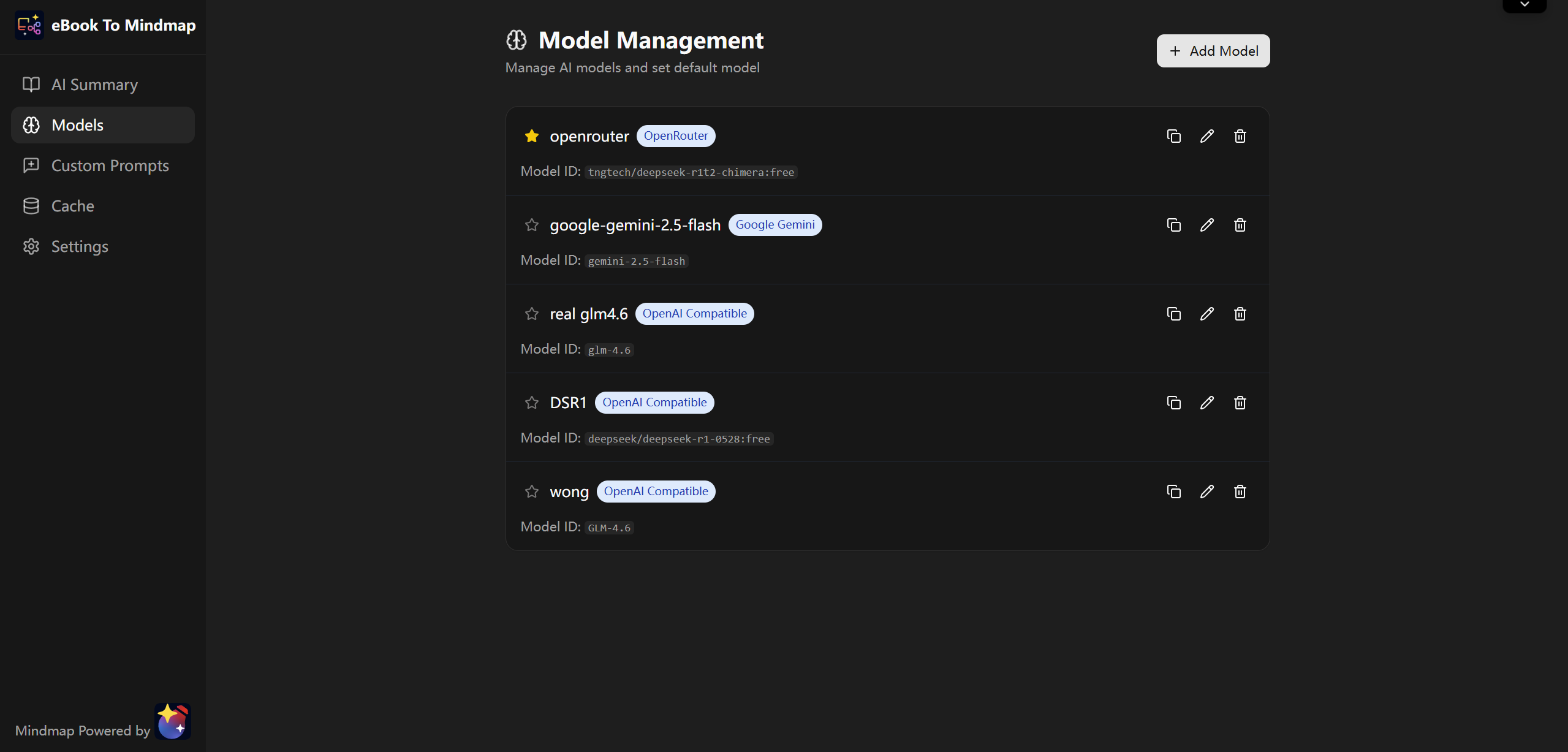
You can also configure multiple models. Clicking the star on the left makes it the default model, which will be used by default for subsequent processing:
Generating Notes
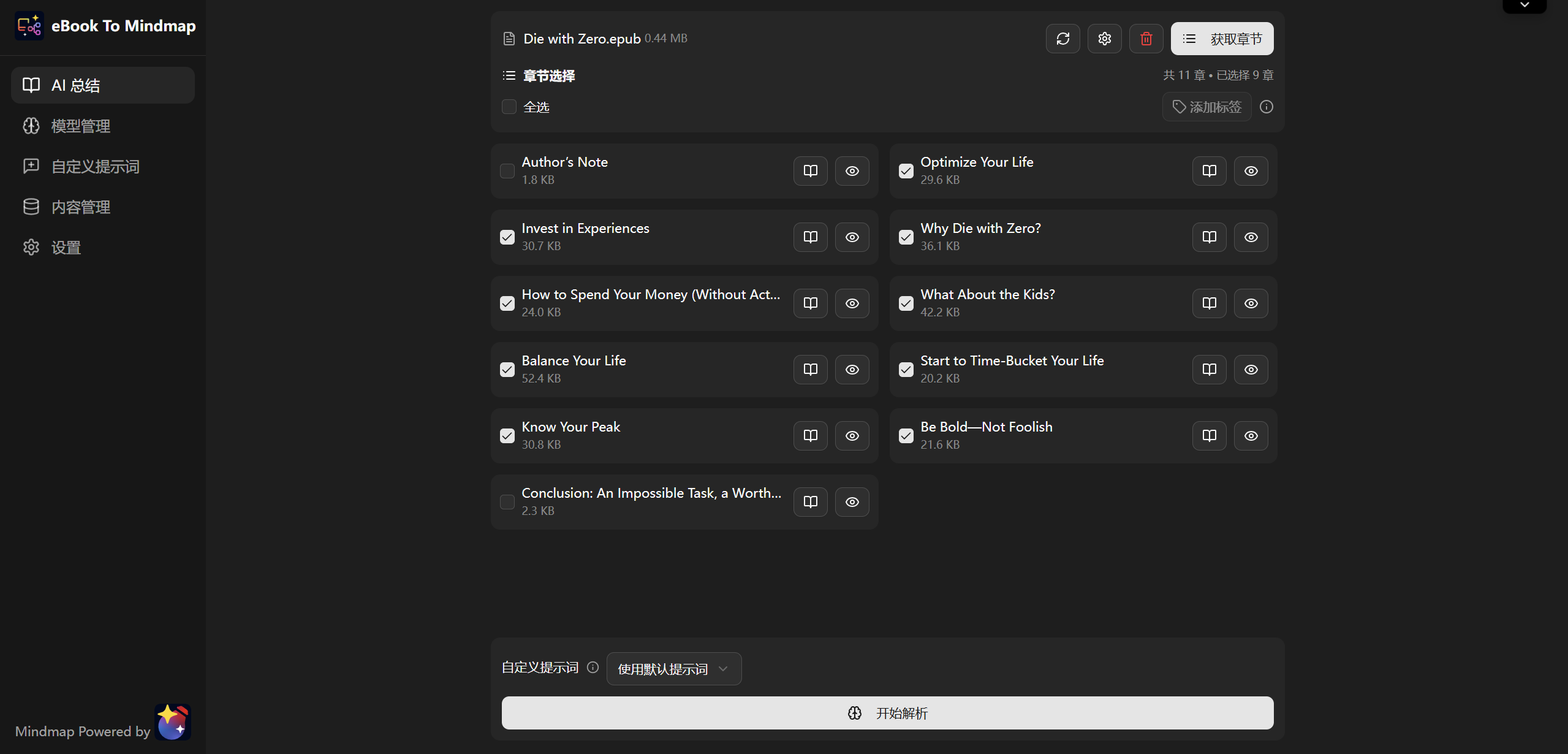
After configuring the model, select an ebook on the home page. Then ebook-to-mindmap will automatically identify the ebook format and start identifying chapters:
TIP
Tip: If the epub cannot get chapters, you can check “Use Spine to get chapters” in the settings.
After the chapters are successfully identified, select the chapters you need to summarize, or use the grouping function (shortcut Ctrl + G) to combine fragmented chapters into a group and send them to the AI for processing together.
Once everything is ready, click the “Start Explanation” button to begin generating notes.
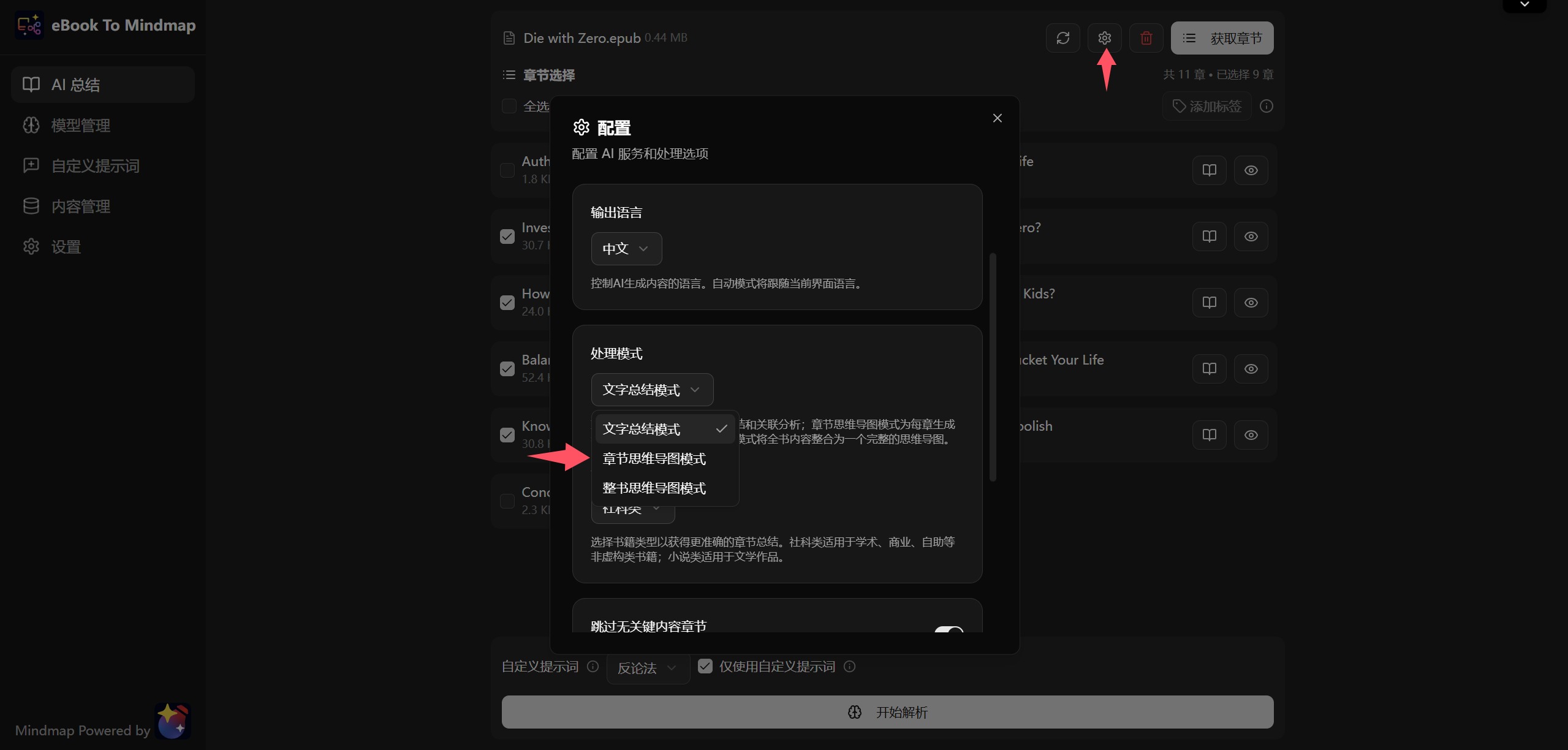
By default, ebook-to-mindmap will generate a Mind Map, but you can also click the small gear icon to switch to Text Summary mode:
TIP
Although there is a whole-book mind map generation function, if the book content is too long, the AI might not be able to handle such a long context. Therefore, it is recommended to generate chapter by chapter, and the system will automatically stitch them together at the end.
If you want to cancel halfway through generating notes, feel free to click cancel. Chapters that were already completed will be cached, so you don’t have to worry about wasting Tokens to regenerate them later.
Prompts
For example, if you add a “Rednote Style” prompt in the prompt list and select this prompt during the generation phase, you can directly generate notes in the Rednote style.
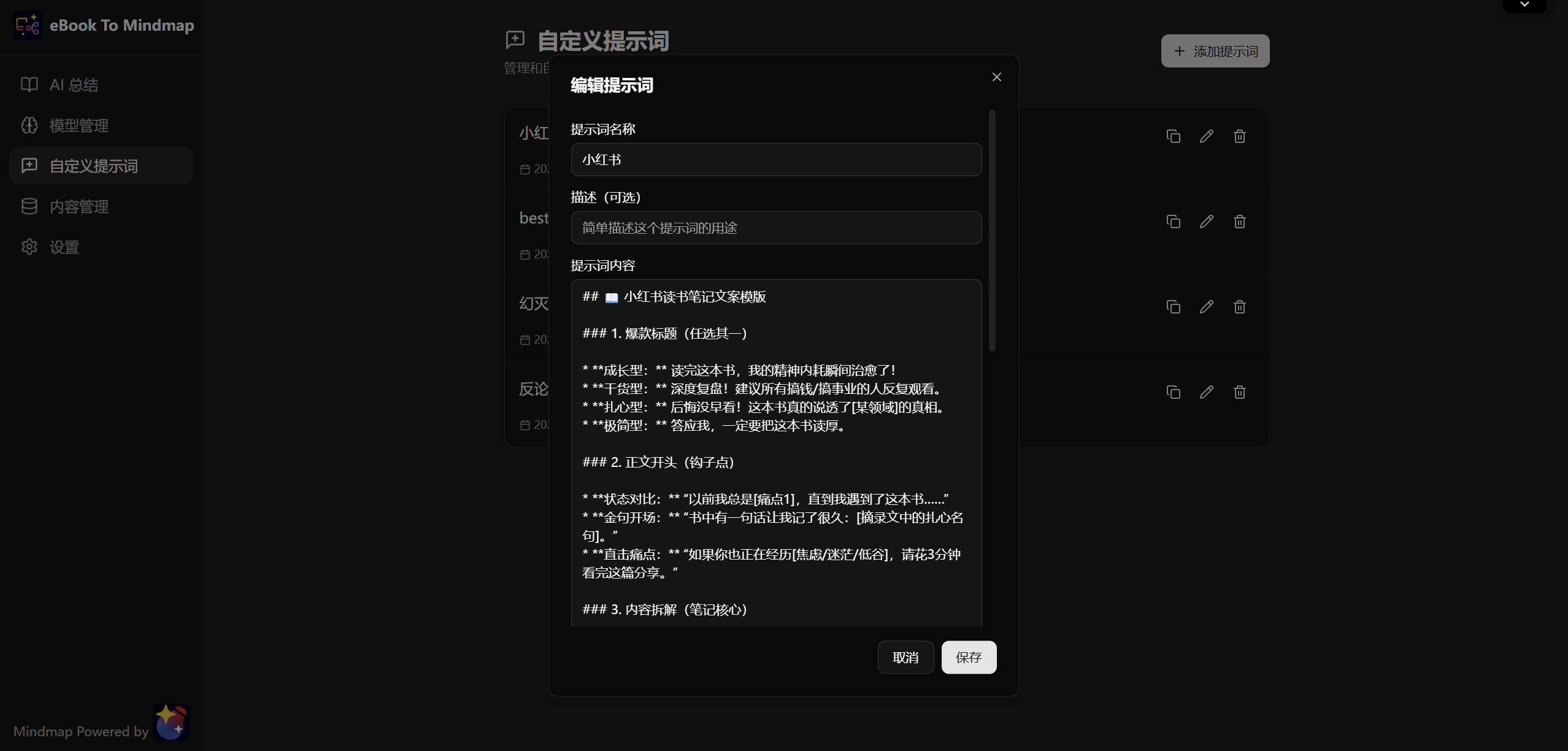
Not just Rednote style, you can also ask the AI to simply extract the 5 most important points of the chapter to help you get a brief understanding of the main content of the whole book.
You can also use the “Counter-argument” prompt:
Select the core arguments or ideas of this chapter and explore their opposites. If the author were to defend the opposite view, what would they need to prove? Are there any traces in the text that unintentionally support the opposing view?Refer to the article Sharing some interesting NotebookLM prompts, which contains several interesting prompts that might inspire you.
Content Management
ebook-to-mindmap is full of download buttons. Yes, the data you generate must belong to you! You can easily take the data out!
The exported text content can be a markdown file or a mind map json file.
Markdown files can be read directly, or imported into note-taking software like Obsidian or Notion for further refinement and modification.
Mind map json files can be rendered using frontend libraries like mind-elixir-core. Of course, if you are a developer, understanding the json data structure allows you to modify and render it as you please.
Mind maps can also be exported as images; just click the download button in the upper right corner of the mind map page.
Format Selection
Finally, let’s talk about the ebook format issue. ebook-to-mindmap supports pdf and epub formats, but how to choose between these two?
Perhaps everyone prefers reading pdfs because they look neater, but for using ebook-to-mindmap, I still recommend epub format ebooks.
Let me briefly explain the principles of pdf and epub.
The characteristic of pdf is that it looks the same on any device. This makes it easy to think that pdf layout is very fixed, and more importantly, pdf layout has no semantics. That is to say, humans can see that a title is bold black text, but the pdf itself doesn’t know it’s a title; it only knows that the text in this area is bold and black.
A more serious problem is that if pdf has some complex layouts, such as embedding a paragraph of text in a corner, it is difficult to understand the meaning of that text when interpreting it. Therefore, the difficulty for LLMs to understand pdfs is relatively high.
The epub format is different. It’s more like a webpage, with semantics, structure, and hierarchy, similar to HTML. The downside is that to humans, such typesetting looks a bit rough, and the display effect varies on different readers. Reading on some outdated epub readers might make the layout feel very dated. But LLMs don’t care about layout; as long as there is a clear structure, good output results can be obtained.
Final Words
In summary, ebook-to-mindmap is a tool that can help you quickly review or “thin out” books. In this era of information explosion, efficiently acquiring and organizing knowledge is becoming increasingly important. I hope this little tool can become a helpful assistant on your reading journey, allowing you to spend more time on deep thinking and understanding rather than mechanical copying.
If you find this project helpful, welcome to give it a Star ⭐️ on GitHub to support it! If you have any suggestions or find bugs, feel free to raise an Issue or join the discussion.
Happy Reading!